
Input is simple. Graphs are smart.
Net worth, income, weight, study hours, sales. Log any number from the “+” in two taps, and Graph turns it into a clean line or bar chart.
Every number, in one place.
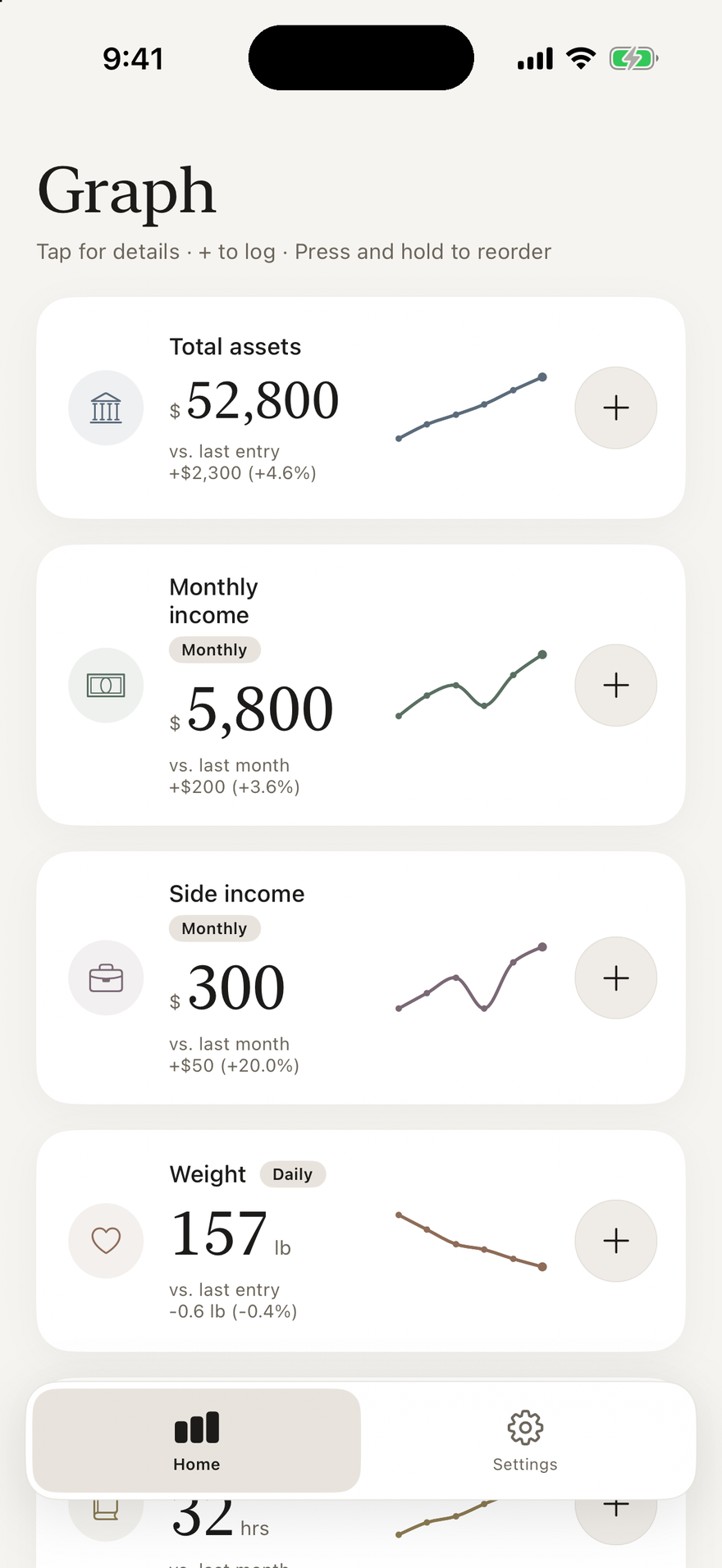
Net worth, monthly income, weight, study hours: each number gets its own card, with the change from your last entry and a small trend line.
The more you log, the more your own gallery of graphs grows.
Two taps, and it’s logged.
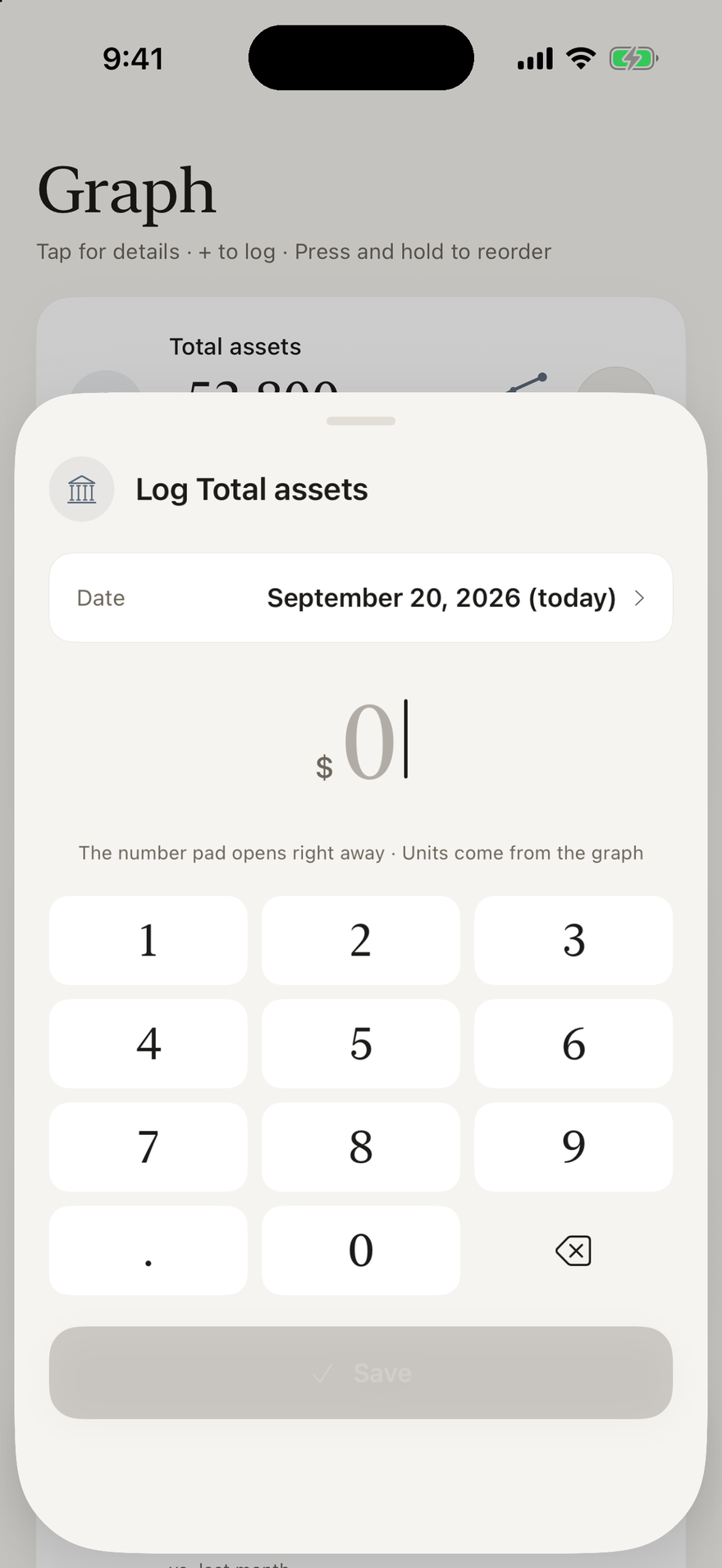
Tap “+” on a graph card and the number pad opens right away. The unit comes from the graph, and the date defaults to today.
There is no long form. Most of the time you just type the number and save.
Trends and changes, automatically.
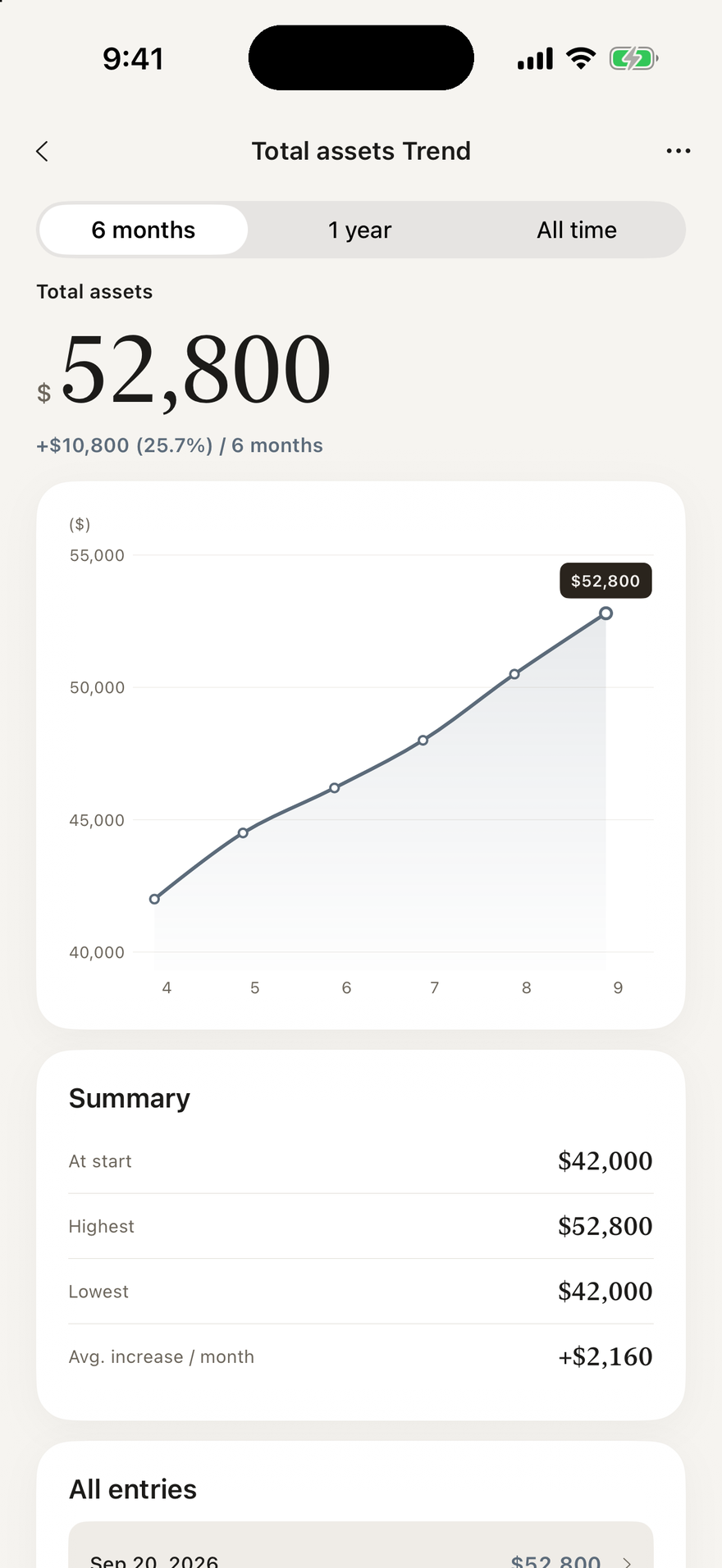
Once you log, you get a trend chart and the change since your last entry. Switch the time range to look back as far as you like.
Numbers start to mean something at a glance.
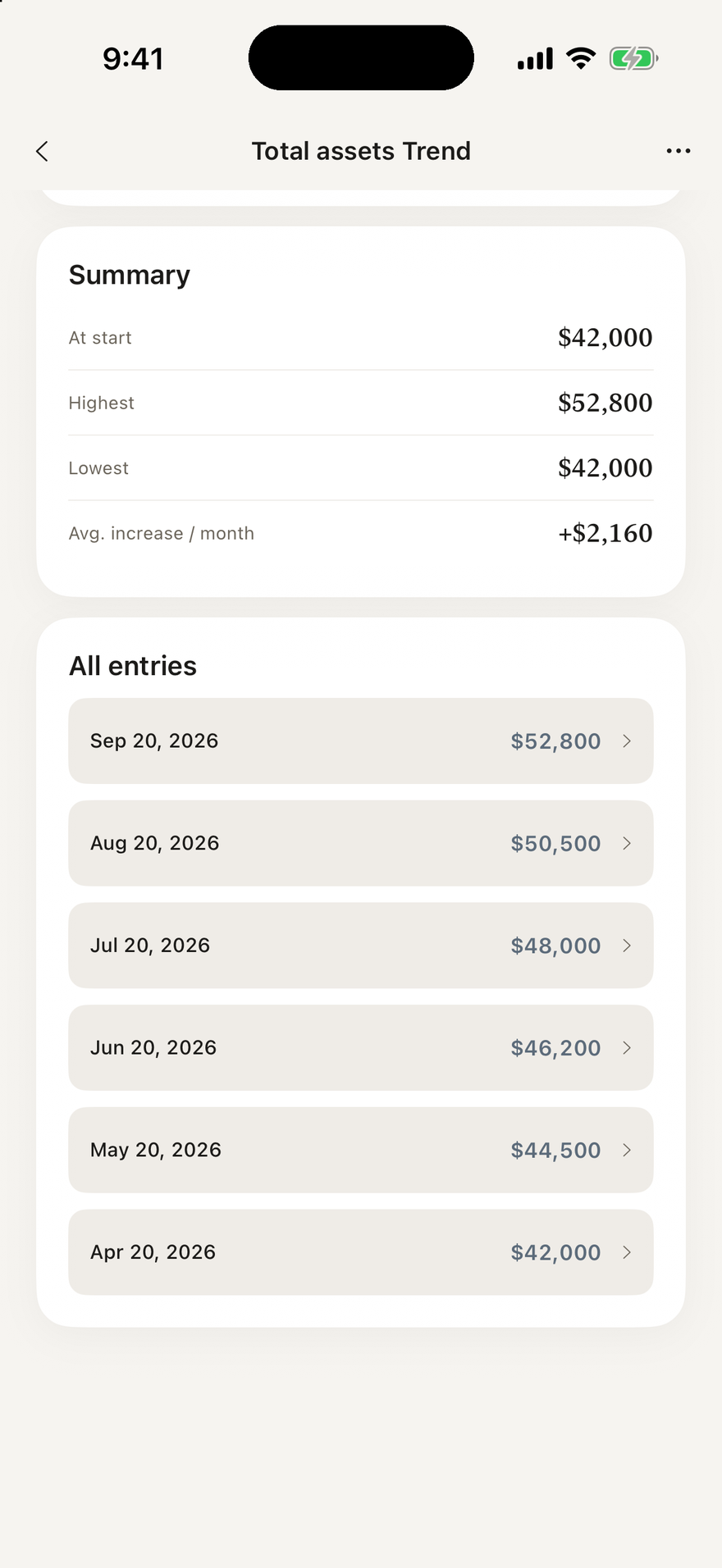
Highs, lows and averages.
The summary shows where you started, your highest and lowest values, and the average change per month, followed by a list of all your entries.
Edit your history any time if you need to correct something.
Two-tap entry
Tap “+” on any graph, enter the number, save. Units and dates are automatic.
Track what matters
Net worth, weight, blood pressure, body temperature, savings, income, study hours, sales. Pick a preset or build your own.
Smart charts
Line or bar charts with daily, weekly, monthly or yearly views. See highs, lows, averages and changes at a glance.
All your graphs in one list
Each card shows the latest value, the change from your last entry and a small trend line.
Your own axes
Set custom axes and units. “Sales by product” or “satisfaction by plan” are as easy as weight.
Private by design
No bank or brokerage linking, no accounts, no ads, no tracking. Your numbers are stored only on your device.
Free to start, with no ads.
Up to 3 graphs and 12 entries per graph are free. To remove the limits, choose the Supporter plan or a one-time purchase. Paid plans also include CSV export and saving or sharing graphs as images.
The Supporter plan is a yearly, auto-renewing subscription. The one-time purchase is paid once and does not renew. Prices are shown on the App Store in the currency of your country or region. See the Terms of Use for details.
Your numbers stay yours.
Graph has no bank or brokerage linking, no accounts, no ads and no tracking. The developer can’t see your data, which is stored only on your device. Weight, temperature and blood pressure numbers are for your own records only. Graph is not a medical device and gives no medical advice. Read the Privacy Policy.
What is Graph?
Graph turns the numbers you type into clean line or bar charts, with two taps. Log net worth, weight, savings, income, study hours, sales, or anything else you want to keep an eye on.
Is it free?
Yes, to start, with no ads: up to 3 graphs and 12 entries per graph. To remove the limits, choose the Supporter plan (yearly, auto-renewing subscription) or a one-time purchase (pay once, no renewal). Paid plans also include CSV export and saving or sharing graphs as images. Prices are shown on the App Store in the currency of your country or region.
Is my data sent anywhere?
No. There are no accounts, no bank or brokerage linking, no ads and no tracking. The developer can’t see your data. It’s stored only on your device.
Can I make graphs that aren’t about dates?
Yes. You can build your own graph with custom axes and units, so “sales by product” or “satisfaction by plan” are as easy as weight. Line and bar charts are both available.
How do I enter a number?
Tap “+” on any graph, enter the number and save. Units and dates are automatic.
Is Graph a medical device?
No. Weight, temperature and blood pressure numbers are for your own records only. Graph is not a medical device and gives no medical advice.