
Keep the people who matter close.
Life gets busy, and the people you care about most are the easiest to lose touch with. Keep In Touch helps you notice, gently, before too much time has passed.
See who’s due for a hello.
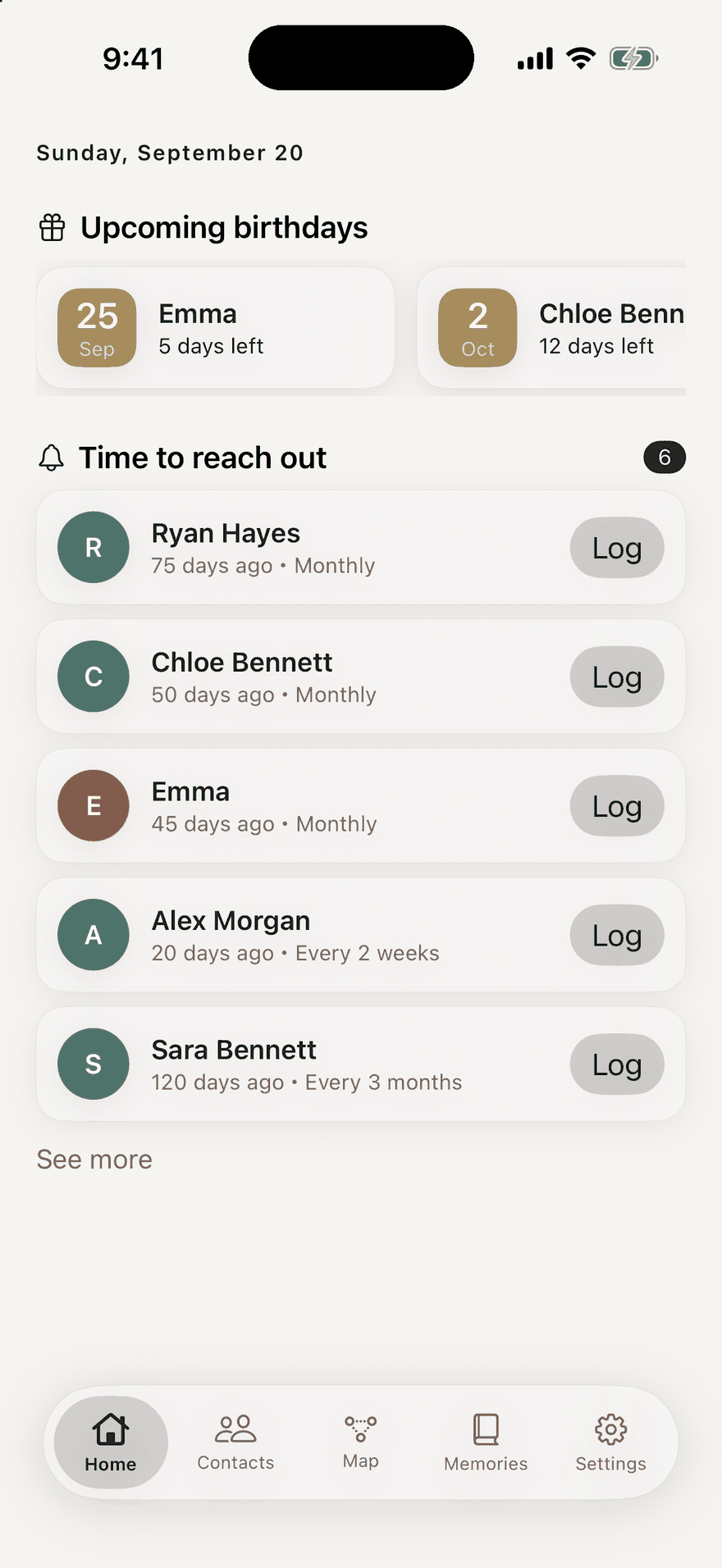
Open the app and the people it’s time to reach out to are listed, along with upcoming birthdays. Each one has a Log button, so you can record a catch-up on the spot.
Set how often feels right for each person: weekly, monthly, or a few times a year.
The people who matter, in one place.
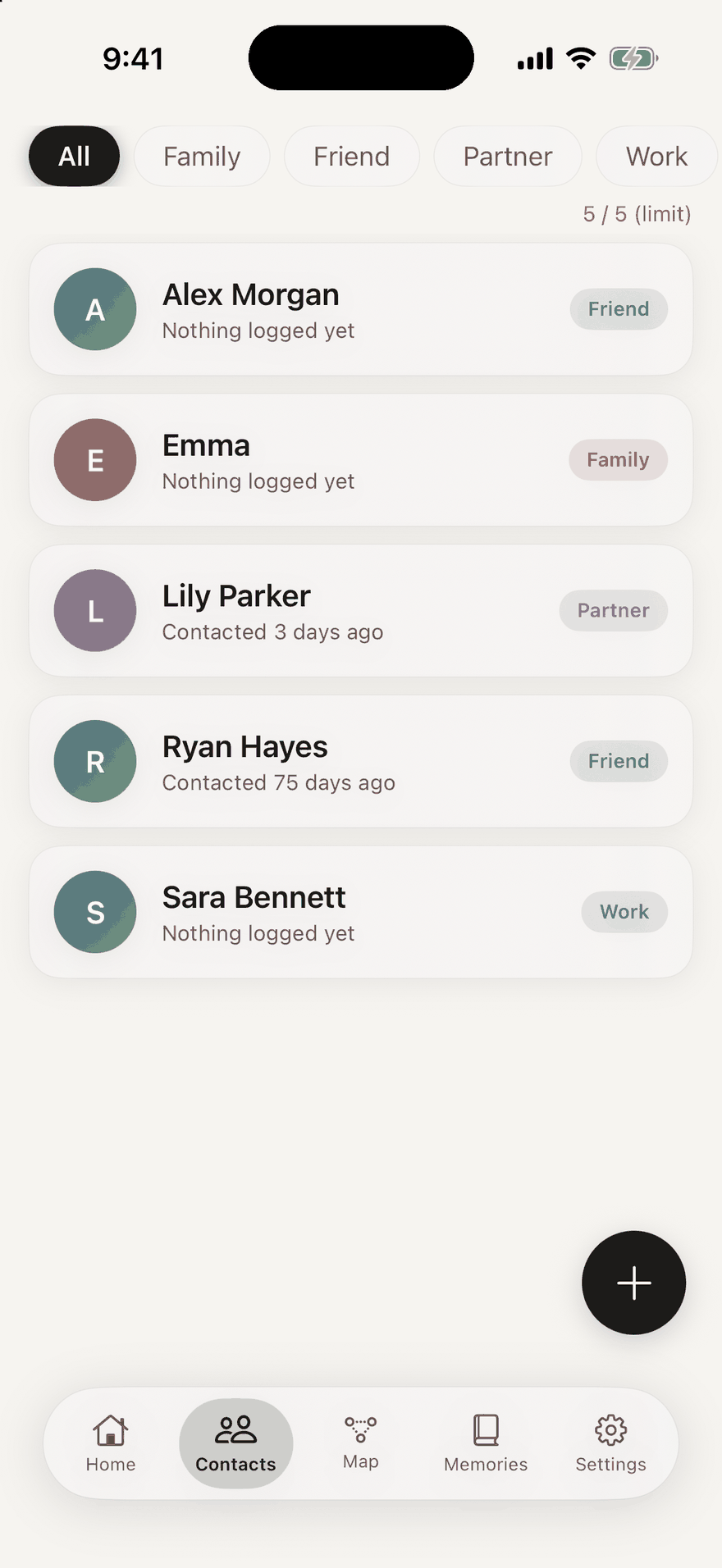
Family, friends, partner and colleagues. Filter by category, and see when you were last in touch with each person.
It’s your circle, arranged your way.
Your connections, as a map.
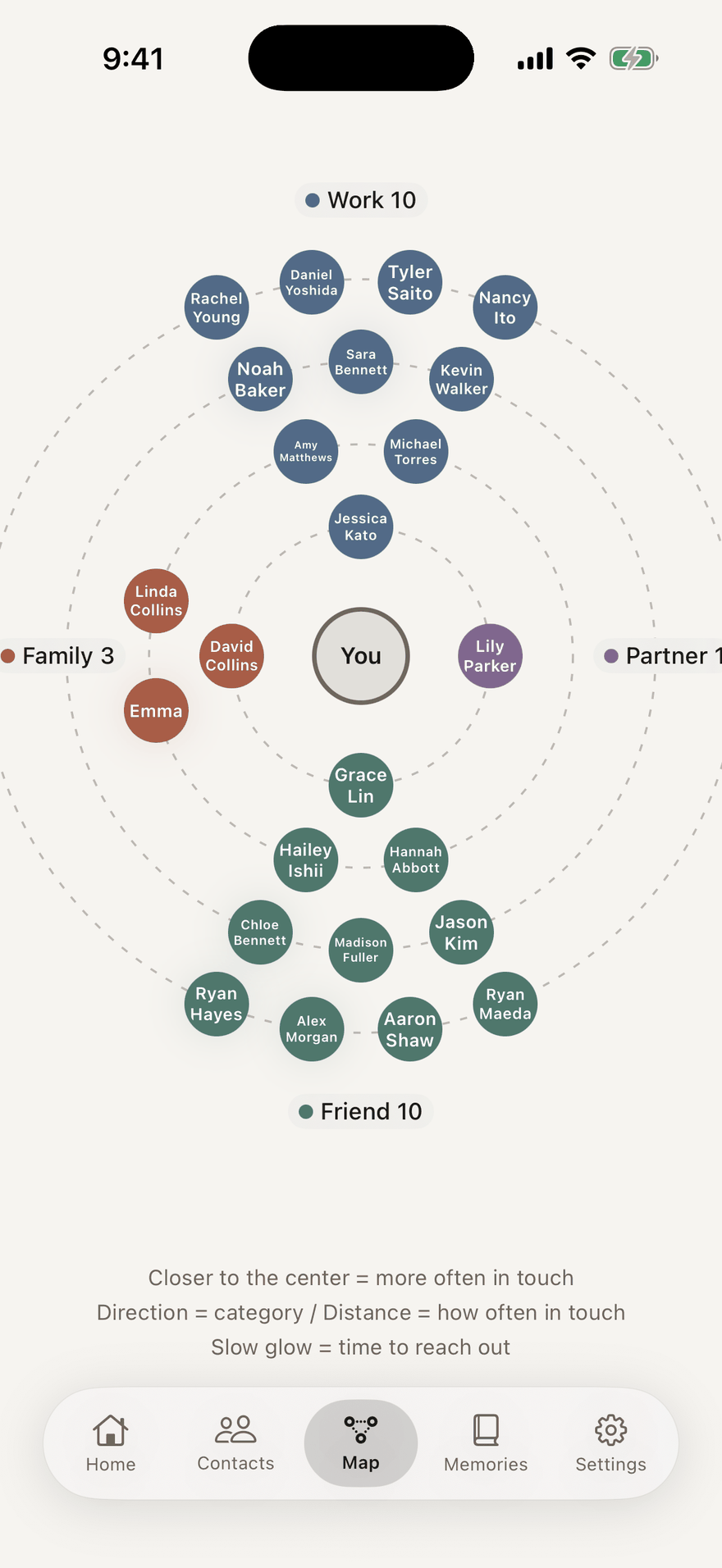
You sit at the center. The people you connect with most are nearer the middle, and those you haven’t reached out to in a while drift outward. Direction shows the category.
A slow glow means it’s time to reach out.
Save the little moments.
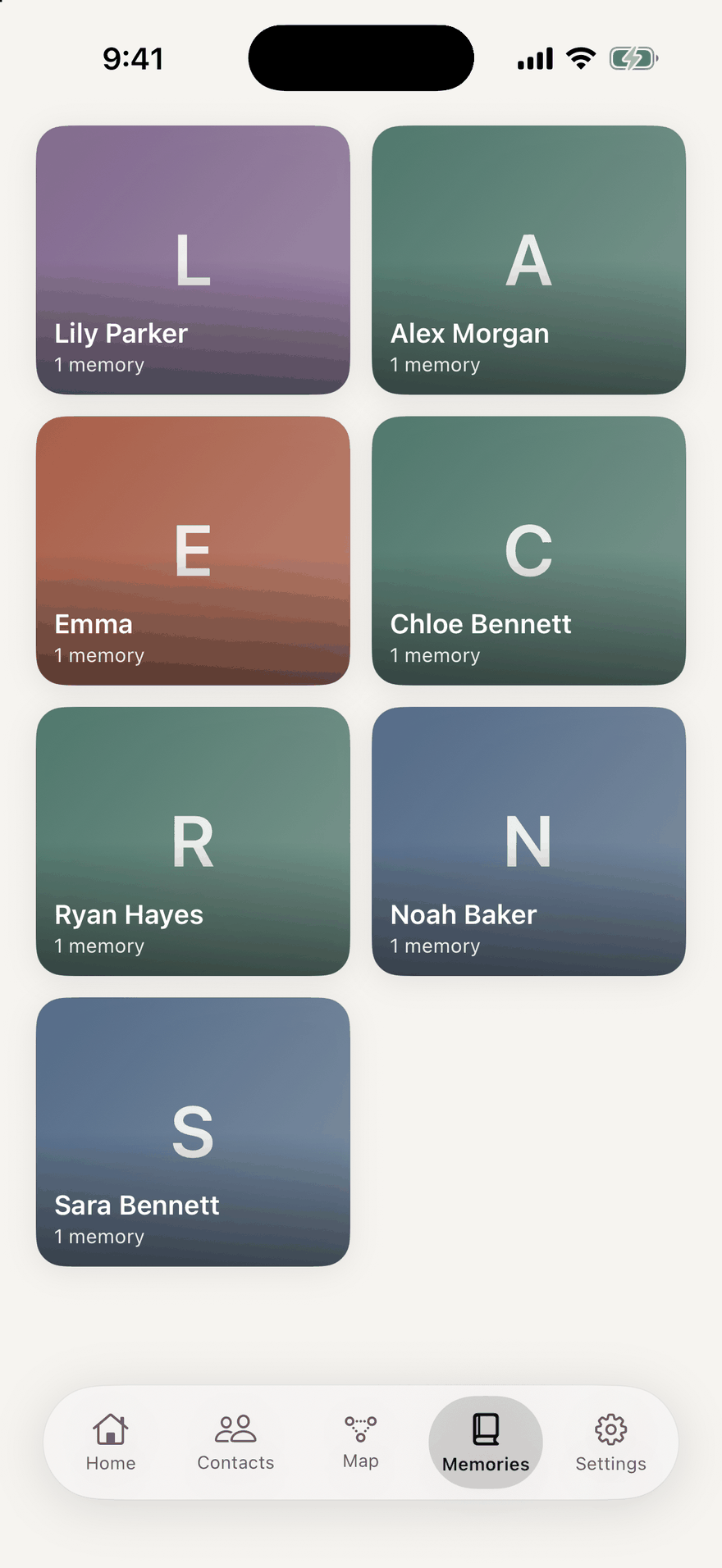
Add a note or photo when you log a catch-up, and star the moments you want to keep. Memories gather person by person.
Look back on your year with the people you love.
Relationship map
See your family, friends, partner and colleagues on a map. The people you connect with most sit near the center; those you haven’t reached out to in a while drift outward.
Gentle reminders
Get a quiet nudge when it’s time to reach out. Set how often feels right for each person, plus birthday and anniversary reminders.
Log in a tap
Tap “Talked today” to log a call, meeting, message or meal. Add a note or photo to remember the moment.
Home screen widget
See who to reach out to next, and upcoming birthdays, right on your home screen.
Memories and Year in Review
Star favorite moments, and look back on your year with the people you love. AI features run on your device with Apple Intelligence on supported iPhones.
Private by design
Your data stays on your device. No account, no ads, no tracking. Optional Face ID lock and backup to your own iCloud Drive.
Free for up to 5 people.
The Basic plan removes the limit, with unlimited people and reminders. Choose a monthly or yearly subscription, or a one-time purchase.
Payment is charged to your Apple Account at confirmation of purchase. Subscriptions renew automatically for the same period unless auto-renew is turned off at least 24 hours before the end of the current period. Manage or cancel any time in Settings > Apple Account > Subscriptions. The one-time purchase is paid once and does not renew. Prices are shown on the App Store in the currency of your country or region. See the Terms of Use for details.
Your connections are yours.
Your data stays on your device. There is no account, no ads and no tracking. You can add an optional Face ID lock, and back up to your own iCloud Drive. Read the Privacy Policy.
What does Keep In Touch do?
It helps you keep in touch with the people who matter. You set how often to reach out to each person, get a quiet reminder when it’s time, and remember birthdays and anniversaries.
Is it free?
Free for up to 5 people. The Basic plan removes the limit, with unlimited people and reminders. Choose a monthly or yearly subscription, or a one-time purchase (pay once, no renewal). Prices are shown on the App Store in the currency of your country or region.
What is the relationship map?
It shows your family, friends, partner and colleagues on a map with you at the center. The people you connect with most sit near the center, and those you haven’t reached out to in a while drift outward.
Is my data safe?
Your data stays on your device. There is no account, no ads and no tracking. You can add an optional Face ID lock, and back up to your own iCloud Drive.
Does it use AI?
Memories and Year in Review include AI features. They run on your device with Apple Intelligence on supported iPhones.