
 Dayglyph
Today’s condition, in one mark.
Each morning, Dayglyph puts one mark on your Apple Watch face, based on last night’s sleep. No numbers, no scores, no charts. It only tells you how today looks compared with your own usual.
- Use for
- Checking in each morning
- Works on
- Apple Watch (watchOS 26 or later)
- Your health data
- On your Apple Watch
What is Dayglyph?
Dayglyph is an Apple Watch app that compares last night’s sleep duration, heart rate variability (HRV) during sleep and heart rate during sleep with your own usual (the median and spread of up to 60 recent nights), and shows one mark on your watch face in the morning. It shows no numbers, scores or charts.
- People who wear Apple Watch to bed
- People who want a glance, not a dashboard
No numbers
No scores and no charts. In the morning, glance at your watch face and check one mark.
Compared with your own usual
Last night’s sleep duration, HRV during sleep and heart rate during sleep are compared with the median and spread of up to 60 recent nights.
Readable without color
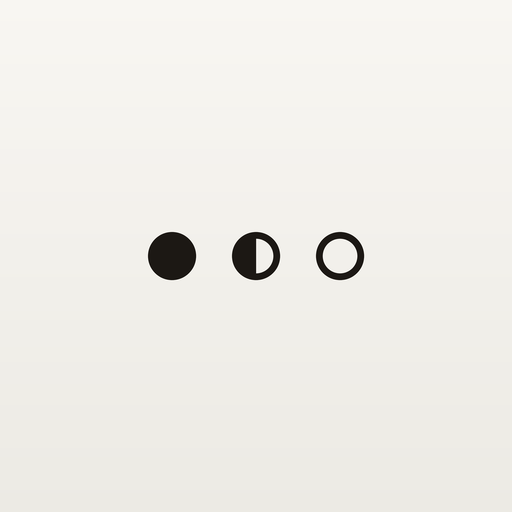
Good is a filled circle, Normal is a half-filled circle, Low is a ring and No reading is a short line. The shapes work on single-color watch faces too.
Three lines of why
Open the app to see whether sleep, HRV and sleeping heart rate were higher or lower than usual, plus the marks for your last 7 days.
Anywhere on your watch face
Place it in a circular, rectangular or inline complication slot.
No guessing on thin data
Your baseline builds up as you go. Until it has 7 nights, the mark shows No reading.
● Good
A filled circle.
◐ Normal
A circle with the left half filled.
○ Low
A ring.
– No reading
A short line. Dayglyph doesn’t give a reading when there isn’t enough data.
Three steps.
- Get Dayglyph on your iPhone.
- If it doesn’t appear on your Apple Watch, install it from Available Apps in the Watch app on your iPhone.
- Touch and hold your watch face, tap Edit, go to Complications and choose Dayglyph.
Requires Apple Watch with watchOS 26 or later. The iPhone app (iOS 26 or later) is only for setup instructions and the purchase.
Everything for 14 days, first.
Everything works for the first 14 days. After that, a one-time purchase keeps it going. There is no subscription. Family Sharing is supported.
Prices are shown on the App Store in the currency of your country or region. See the Terms of Use for details.
Your health data stays on your wrist.
Health data is handled only on your Apple Watch. It is never sent to your iPhone or to the developer. No account, no ads. Read the Privacy Policy.
Dayglyph is not a medical device and is not intended to diagnose, treat or prevent any condition.
The mark keeps showing “No reading”
You’ll see “No reading” until your baseline has 7 nights, and on mornings when last night’s sleep wasn’t recorded. Please wear your Apple Watch to bed.
Can I use it with just an iPhone?
No. The reading is worked out on your Apple Watch. The iPhone app is only for setup instructions and the purchase.
Where is my data stored?
Only on your Apple Watch. It is erased when you delete the app.